

 Synapp

01
Bookings and reminders
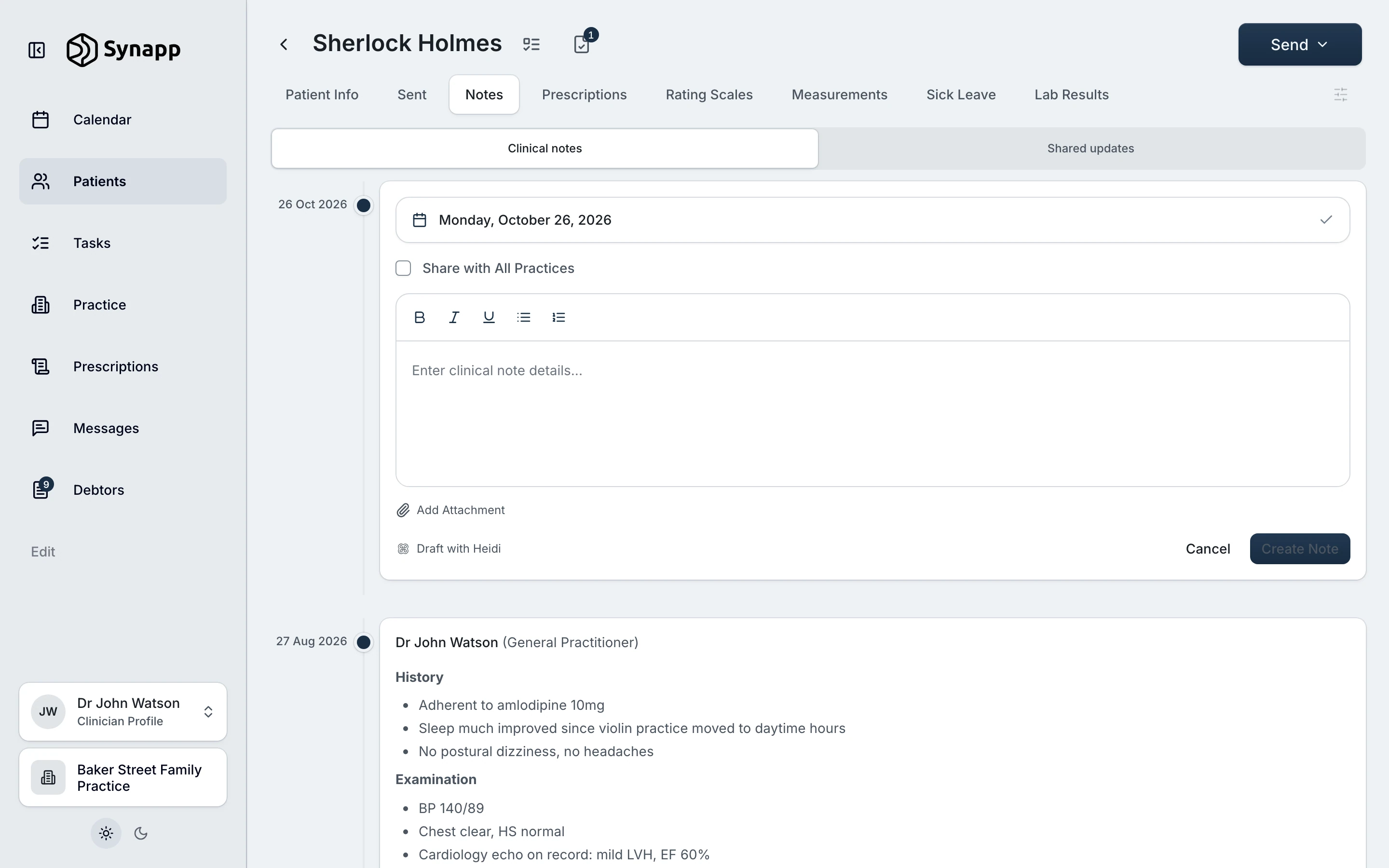
The diary books, confirms and reminds patients on WhatsApp, one click from their notes.
Practice management software
Bookings, notes, lab results, prescriptions, WhatsApp and email to patients, Heidi, the to-do list for the team, invoices and medical aid claims are all in Synapp. Clinicians and the front desk sign in once in the morning and have everything they need for the day.
Integrated with




01Count the tabs
Three lab portals, a booking system, billing software, a script app, WhatsApp, email and an AI scribe. Each one is another sign-in, another screen to learn and another bill. In Synapp they are four areas of the same app.
10 tabs open
The practice signs in once in the morning, and everything it needs for the day is already open.
02What it covers
01
The diary books, confirms and reminds patients on WhatsApp, one click from their notes.
02
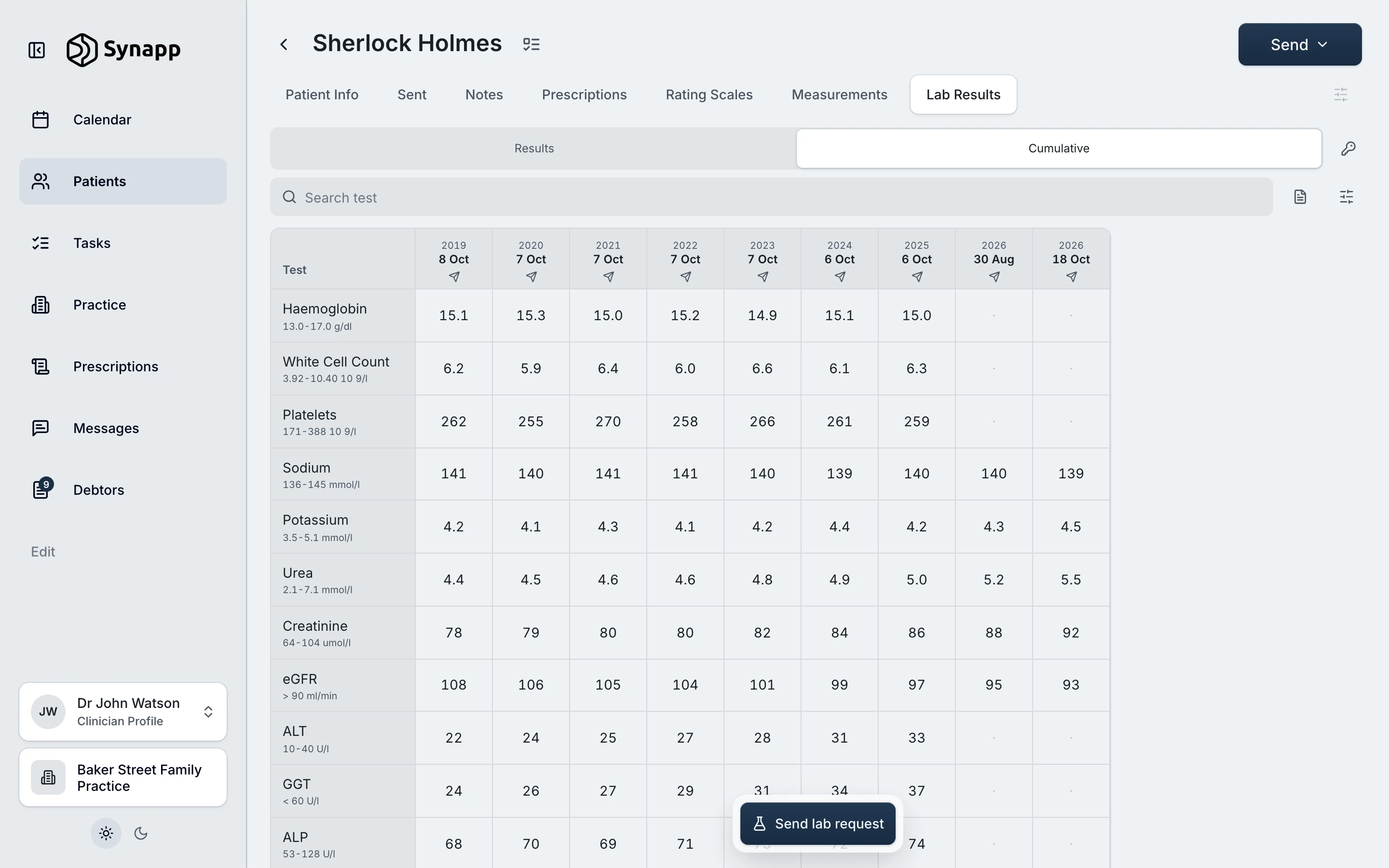
Results from Ampath, Lancet and PathCare file themselves on the patient’s timeline, so nobody signs into a lab portal.
03
Scripts, letters and forms reach the patient’s WhatsApp or email straight from their page.
04
The invoice, the medical aid claim and the receipt come from the visit itself, before the next patient.
03Why one app
01
The patient’s notes, results, scripts and bill are a click apart, so attention stays on the patient and nothing is copied from one system into another.
02
Clinicians, nurses and reception all work in the same app, so a new member of the team learns it once and can cover any desk.
03
One subscription takes the place of the booking system, the billing software and the script app, at one flat price for the whole practice, every clinician included.
04Working together

 Synapp+27 81 869 XXXX
Hi John,
Your appointment with Ms Mary Morstan at Baker Street Family Practice is booked for Monday, 26 October at 11:30.
We are at 221B Baker Street, Rosebank, Johannesburg, 2196. If you need to change the time, call us on +2782708XXXX.
Kind regards,
Baker Street Family Practice
+2782708XXXX
reception@bakerstreetfp.co.za
221B Baker Street, Rosebank, Johannesburg, 2196
Note: this is an automated number, if you have any queries please contact the practice directly using the contact details above. Synapp supports your Clinician in delivering quality care.
01
The diary sends the confirmation and the reminders itself, so nobody opens WhatsApp or picks up the phone.
The booking confirmation, as it reaches the patient

02
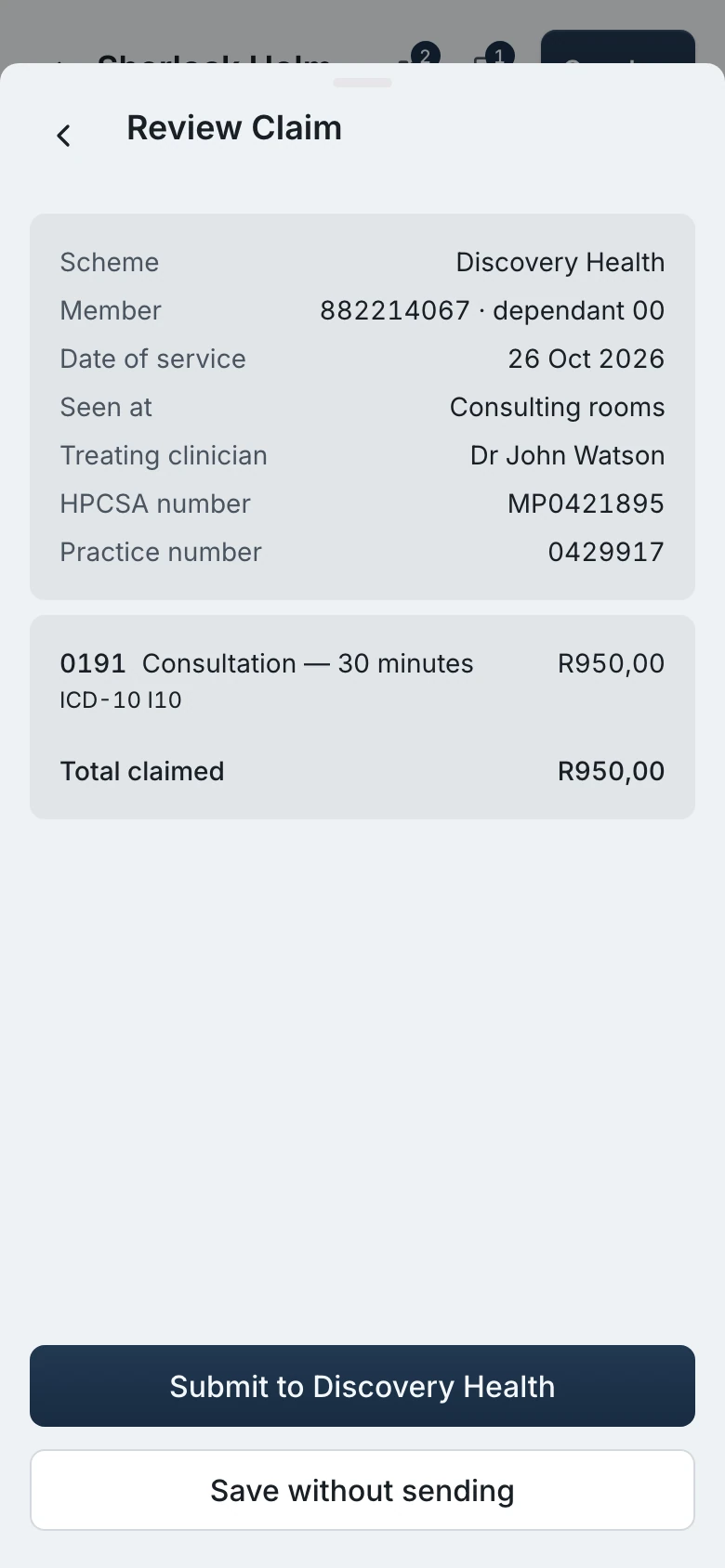
Medical aid billing is part of the visit, so the scheme answers while the patient is still at the desk, with what they still owe.
The claim, checked before it is sent

03
Record the consult in Synapp and Heidi drafts the note in your own template, on the right patient, for you to check and approve.
Heidi, inside the patient’s notes
05From the clinicians using Synapp
“Best user interface of any medical software I’ve used, by far.”
 Dr Carl Aarnt, General Practitioner, Cape Town
“I love the long term rating scale monitoring feature. It’s so nice to visualise treatment responses with the prescribed meds shown in the charts.”
 Dr Alexandra Glover, General Practitioner, Johannesburg
“I use the mental health features a lot. Being able to send rating scales to patients through WhatsApp that they can complete on their own phones makes it so easy to manage treatment by using responses as a reference point.”
 Dr Sejal Nandlal, General Practitioner, Durban
06Getting started
01
Sign up
It takes a few minutes in your browser: your professional details and your practice.
02
Choose a plan
Basic, Pro or Pro Max, each with unlimited clinicians, locums and admin staff. Change plan whenever the practice grows.
03
Add your team and start
Invite the clinicians and the front desk, and see the first patients. If you would rather we set it up with you, talk to us.
07Questions
Sign up, choose the plan that fits the practice and set it up yourself. It takes a few minutes in your browser. If you would rather we set it up with you, talk to us and we come back to you within a working day.
No. Synapp is built to be obvious — most clinicians send their first script within minutes, with no manual and no training.
One price for the whole practice, with unlimited clinicians, locums and admin staff. Three plans: Basic from R999 a month, Pro and Pro Max. Paying yearly saves 15%.
No. Everything you send arrives on their WhatsApp. If a patient needs to respond — to complete a rating scale or submit vitals — Synapp prompts them to set up a free patient account at that moment, and handles it for you.
Yes. Synapp runs a whole practice — patient records, consultation notes, appointments and online bookings, consent forms, prescriptions and documents, lab requests and results, invoicing, online payments, medical aid claims and debtors — across several clinicians with shared templates, on any device. A single clinician can also use it alone. Every clinician is included in the one price.
Synapp is an alternative to GoodX, Healthbridge, Elixir, Practice Perfect and Bookem. It covers the same ground — records, notes, bookings, documents, labs, invoicing and medical aid claims — and adds WhatsApp delivery to the patient and AI-assisted notes through Heidi. The difference worth knowing before you call us is the price: one flat monthly price for the whole practice, every clinician included, in three plans.
Yes. Synapp is built in South Africa and POPIA-compliant. Patient information is encrypted, visible only to the people you share it with, and never used for anything but their care.
08Contact
Tell us what is slowing your practice down and we will come back to you within a working day. The more we understand about how you work, the more useful that first conversation is.
Or email us directly hello@synapp.co.za